
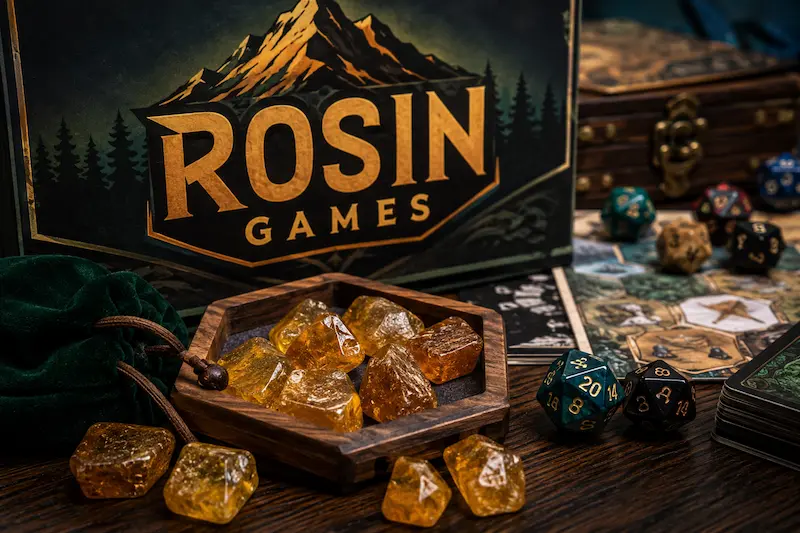
Here’s something most gamers won’t admit out loud: half the games sitting installed on our phones and laptops got downloaded once, played twice, and never touched again. A few gigabytes wasted, an icon nobody clicks. Browser gaming exists precisely because that cycle got tiresome. No install, no commitment, no regret three weeks later when you’re clearing storage.
Rosin Games built its entire identity around that shift. Load the page, pick a title, start playing. That’s the whole process. No account walls, no license agreements to click through, no ten-minute download bar creeping toward completion while you lose interest. A student on a school Chromebook, someone stealing fifteen minutes on a lunch break, a commuter with a phone and nothing better to do the platform serves all three the exact same way.
What follows is a straightforward look at what the platform actually does well, where its catalog leans, how to get into it, and whether it holds up against the handful of similar sites competing for the same audience
Table of Contents
What Is Rosin Games?

Rosin Games is a browser-based library. One address hosting a large catalog of instant-play titles, organized loosely by genre. It’s not trying to compete with console gaming or forty-hour narrative titles. That was never the goal. The goal was removing every barrier between “I’m bored” and “I’m playing something.”
None of this works without a decade of browser engine improvements. Flash-based gaming, the ancestor of this category, was clunky by comparison. HTML5 and WebGL changed that math, letting browsers handle real gameplay logic without a plugin.
Where Rosin Games separates itself from competitors is simple: it refuses to specialize. Some sites in this space commit to one genre: puzzle-only or retro-arcade-only. Rosin Games stacks everything together instead: racing next to strategy, arcade next to simulation.
So who actually uses it? A few groups, mainly:
- Students, since school networks routinely block traditional gaming sites
- Office workers hunting for a five-minute reset
- Anyone who doesn’t want another app icon cluttering a home screen
The unifying trait isn’t age. It’s a preference for zero setup time.
Key Features of the Platform

A handful of design choices explain why the platform holds attention:
No downloads
Click, load, play; nothing else. No progress bar. No surprise “additional content” download that doubles the file size. No storage complaints from your device three games later.
Device flexibility
Most platforms design for desktop first and shrink things down for mobile as an afterthought, which leads to cramped menus and awkward touch targets. Rosin Games assumes people bounce between devices laptop at home, phone on the bus and adjusts accordingly.
Catalog size
Depending on which count you trust, the library sits somewhere between 600 and upward of 1,300 titles, with new additions on no fixed schedule. The interesting part isn’t the number; it’s the mix. Puzzle, racing, tycoon, and multiplayer titles all sit within a few clicks of each other.
A cleaner interface
Free gaming sites have a bad habit of hiding the “play” button behind three layers of pop-ups. Categories here are labeled clearly, search works as expected, and ads, unavoidable on any free platform, mostly stay out of the way.
Rosin Game Categories
The library splits into a handful of clear lanes, each built for a different mood:
- Casual and puzzle titles. Block games, matching puzzles, quick logic challenges built for five minutes, not fifty. Zero explanation needed. Usually the most-clicked category on any instant-play site.
- Arcade and action titles. Fast, reflex-driven, score-chasing borrowing heavily from 90s and early-2000s design.
- Racing and combat games. Short matches, immediate stakes, almost no setup.
- Simulation and tycoon games. A different pace entirely. These reward patience over reflexes, managing a growing business, expanding a small virtual town brick by brick.
- Multiplayer titles. Real opponents instead of computer-controlled ones. Usually the category that pulls people back for “one more round.”
How to Start Playing
There’s barely a learning curve. Getting from homepage to gameplay takes four steps:
- Load the homepage
- Browse thumbnails sorted by category or search directly for a title
- Click something
- Start playing in the same tab
No sign-up screen interrupts the process at any point.
Playing at School or Work
A large share of traffic comes from environments where regular gaming sites get blocked schools mainly, some workplaces too. Since everything runs inside the browser with nothing to install, it often slips past filters built to catch downloadable software.
That’s not a guarantee, though. A few things worth keeping in mind:
- Filtering systems update constantly, so access that works today might get flagged tomorrow
- Using a gaming site on a network where it’s restricted usually conflicts with that network’s policy, technical workaround or not
- What loads fine on one school’s Wi-Fi may not load at all on another’s
Desktop vs. Mobile
The two experiences aren’t identical, and it’s worth knowing the difference before picking one:
- Desktop benefits from bigger thumbnails and precise mouse-and-keyboard input, which matters most for anything demanding quick reactions
- Mobile swaps in touch controls, which work fine for slower-paced puzzle titles but feel awkward on anything built around split-second timing
Is It Safe to Use?
Free gaming sites run on ads, and this one isn’t an exception. A few precautions carry over from any ad-funded platform:
- Stay within the actual game window
- Skip anything that looks like a disguised “play now” click-bait button
- Keep browser security settings current
Games run sandboxed inside the browser, which limits what they’re capable of doing to a device compared to an executable file downloaded and run directly. Stray pop-ups and redirect links are the main hazard on any ad-funded platform. This one keeps things more contained than some aggressive competitors, but “more contained” isn’t the same as risk-free. One habit avoids most trouble: click only what you actually came for.
For parents and teachers evaluating the platform, the catalog leans toward casual, low-intensity genres without much graphic content, though spot-checking a handful of titles directly beats assuming that holds true across the board. The real conversation usually isn’t about game content anyway. It’s about network policy, since the site’s popularity is tied directly to circumventing school-level restrictions.
Rosin Games vs. Other Sites
Unblocked Games 66 and similar sites have built their own long-running audiences, generally favoring a smaller, curated selection over sheer volume. Rosin Games takes the opposite bet: hundreds of titles across a wide genre spread rather than a narrowed-down list.
Neither approach wins outright. It depends on whether you’d rather browse fewer vetted picks or dig through a bigger pile yourself.
What separates Rosin Games from a lot of its competitors is the community layer around it:
- An active Discord server for sharing working links
- Social accounts posting short tutorials
- A general sense that someone’s actually maintaining the platform, not letting it sit untouched for months
The category structure feels more deliberate too, with clean genre tabs instead of one long undifferentiated scroll.
Putting it side by side, here’s how the platform stacks up:
Strengths:
- Large, regularly refreshed library
- Zero downloads or account requirements
- Works across devices, often on restricted networks
- Active community support
- Organized browsing structure
Weaknesses:
- Ad-supported by necessity
- Access can be inconsistent depending on network filtering
- Multiplayer options are shallower than dedicated gaming platforms
- Quality varies since breadth is prioritized over strict curation
Tips to Get More Out of It
A Discord community built around the platform shares updated access links, flags anything that stops working, and posts new additions as they land. It’s a fast feedback loop that matters for a site whose usefulness depends on staying reachable.
Outside Discord, short-form videos on platforms like TikTok function as informal tutorials spreading through casual word-of-mouth rather than any coordinated marketing push.
A few habits make the experience noticeably better:
- Bookmark the homepage directly instead of searching for it every visit
- Check categories you’d normally skip. Some of the more interesting titles sit in less flashy sections like simulation or tycoon games, overlooked because their thumbnails don’t demand attention
- Set a rough time limit before you start. There’s no loading screen forcing a natural pause here, so sessions run longer than intended more easily than you’d think
Final Thoughts
Rosin Games earned its spot in this crowded space by keeping things simple: no downloads, no accounts, and a catalog wide enough that boredom rarely lasts more than a few clicks. That approach, paired with hundreds, possibly over a thousand, playable titles, explains why it keeps coming up in conversations among students and casual players hunting for something quick.
The usual caveats still apply. Ads exist because the platform is free, and network restrictions exist for reasons worth respecting rather than routing around without a second thought. But for anyone after a low-effort way to fill a short break with something genuinely worth playing, Rosin Games holds up. Poke around the categories you normally skip, keep the basic safety habits in mind, and let the size of the library do the rest.